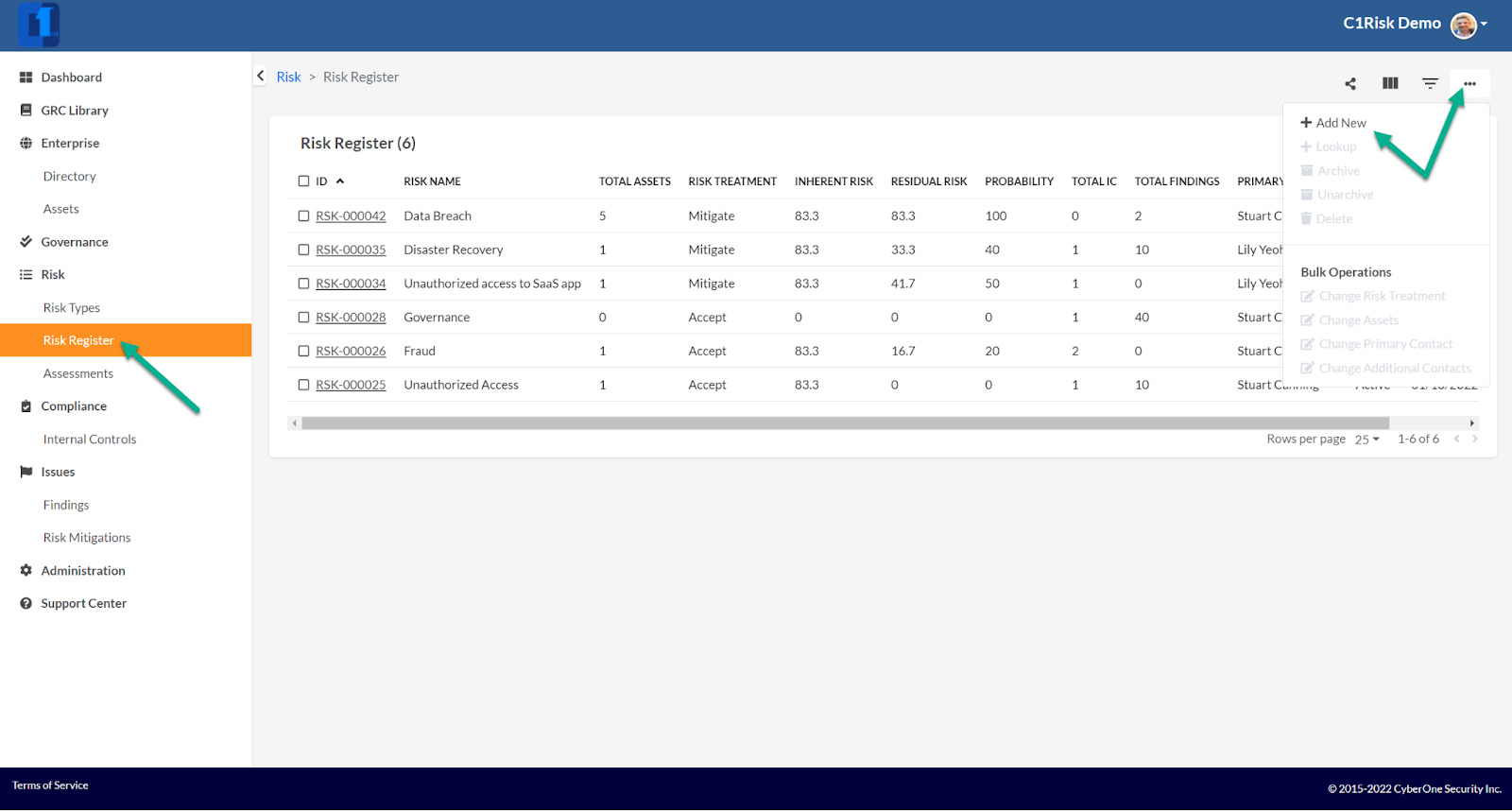
New Risks can be added to the Risk Register at any time. Risk > Risk Register > “Add New”
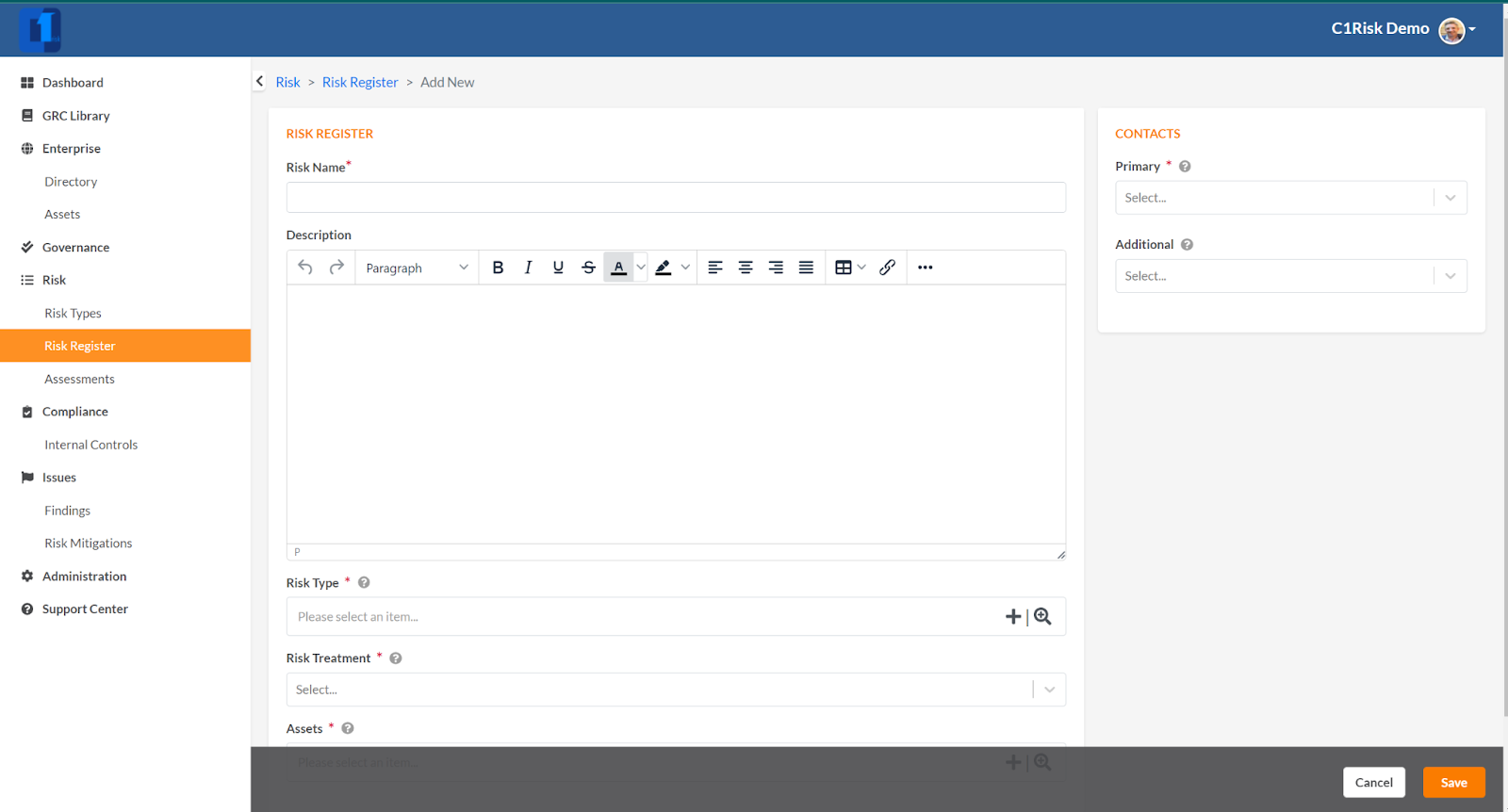
Note the following fields are available in the Risk Register Record:
- Risk Name: Summary of the Risk
- Description: A detailed description of the Risk
- Risk Type: (See above) Create Risk Categories to group Risk
- Risk Treatment: How do plan to manage the Risk?
- Assets (see Step 4 in this training section)
- Primary/Additional Contacts: Risk Owners (those responsible for the Risk)
- Risk Register Record Sections
Once created, the following information can be tracked and monitored.
(Summary Section:)
I. Heat Map of Impact and Probability based on the associated Controls (i.e. where no controls are associated, probability is 100% - see more below in Section 3) and Impact is based upon the value of associated Assets.
II. Control Strength: The average strength based upon the number/type of associated controls
III. Issues: Issues by priority and Status

Was this article helpful?
That’s Great!
Thank you for your feedback
Sorry! We couldn't be helpful
Thank you for your feedback
Feedback sent
We appreciate your effort and will try to fix the article