This manual provides instructions for users and administrators on how to manage API keys following the recent security enhancements in Release 3.7.0. These updates are designed to protect your "digital passports" by ensuring they are stored and used securely.
1. Understanding Your API Key
An API key is a unique identifier used to authenticate a user or program to an API. Think of it as a digital passport; if it falls into the wrong hands, your system's security could be compromised.
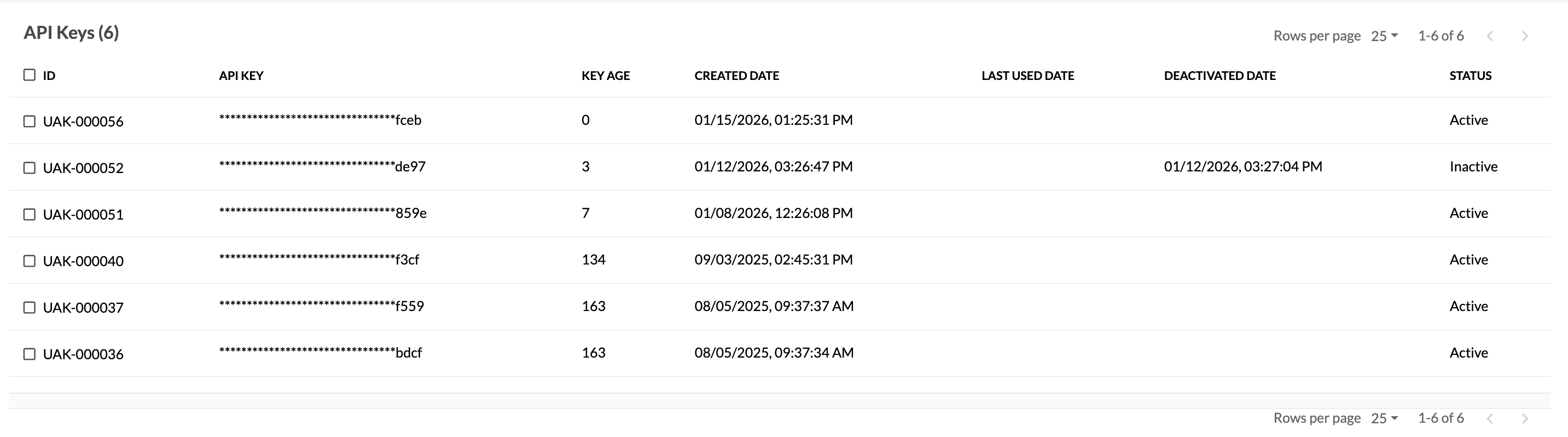
To enhance security, C1Risk now implements Key Masking. All API keys in the system are masked by default, showing only the last 4 digits to prevent unauthorized credential theft.
2. How to Create and Save a New Key
Because keys are masked immediately after creation, you must follow these steps carefully to ensure you have a copy of your full key.
Navigate to your Profile: Go to the API Keys section within your user profile.
Generate the Key: Click the "New Key" from action menu.
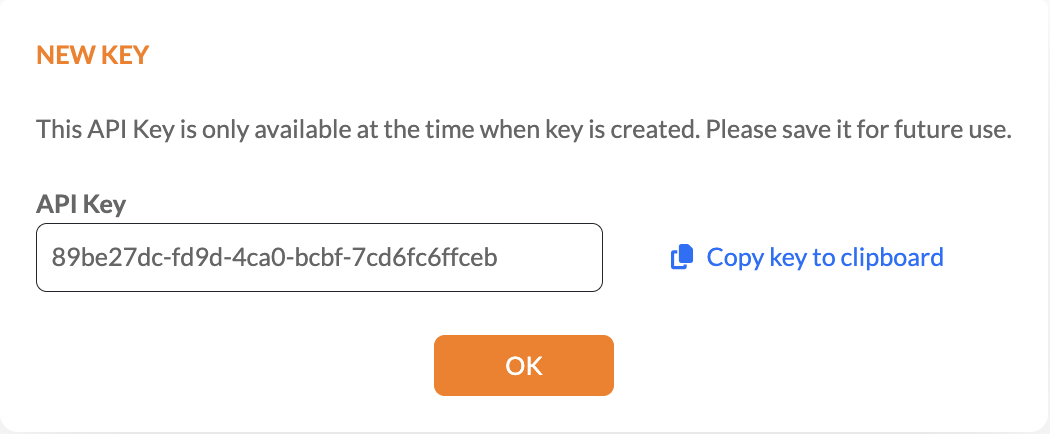
The One-Time Reveal: A pop-up window will appear showing your full, unmasked API key.
Copy and Save: Click the "Copy to clipboard" button immediately.
IMPORTANT: This is your only chance to see the full key. Once you click "OK," the key is permanently masked, and it cannot be retrieved again.
Store Securely: Paste the key into a secure location (like a password manager) for future use.
3. Administrative Controls and Permissions
The system uses a "separation of duties" principle to ensure no single user has total control over API credentials.
| Action | User Permission | Administrator Permission |
| Create New Key | Allowed for own profile | Not Allowed |
| Deactivate Key | Allowed for own keys | Allowed for any user's key |
4. Exporting Key Reports (Admins Only)
Administrators can generate a system-wide report to gain oversight of all active API keys.
Navigate to the Manage Users page.
Open the Action Menu.
Select "Export Account API Key".
This report includes the User ID, masked key, key status (active/inactive), key age, and the date it was last used .
Was this article helpful?
That’s Great!
Thank you for your feedback
Sorry! We couldn't be helpful
Thank you for your feedback
Feedback sent
We appreciate your effort and will try to fix the article