This manual explains how to use the See Suggestions feature within the C1Risk Control Library to efficiently manage record linking while maintaining high data quality and system performance.
1. Overview: Why Use "See Suggestions"?
The C1Risk platform has transitioned from automatic "indirect linking" to a user-controlled "See Suggestions" strategy. This change addresses several key areas:
Data Control: You decide exactly which records are linked, ensuring your data is precise.
Performance: The system is faster because it no longer constantly calculates massive webs of automatic connections.
Reduced Noise: Instead of being flooded with irrelevant records, you only see suggestions based on entity-relationship "Mapping Rules."
2. How to Use "See Suggestions"
You can access smart suggestions whenever you are looking to link a Policy, Internal Control or Finding to a specific Control Library record.
Step-by-Step Instructions:
Navigate to a Control Library record detail page.
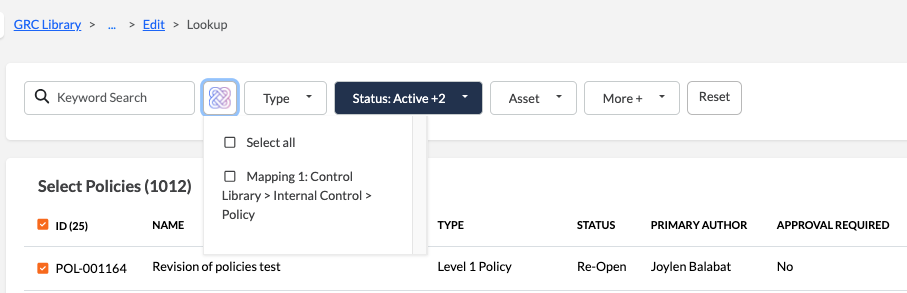
Select the subtab (e.g., Internal Controls or Findings), or on edit page for Policy.
Click the + Lookup button.
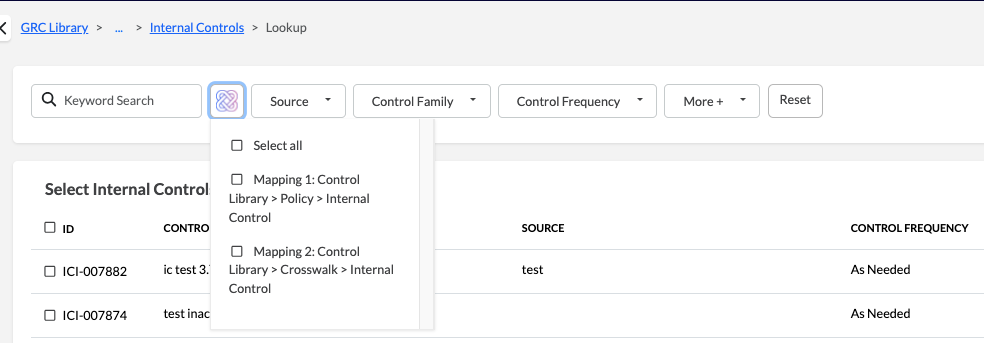
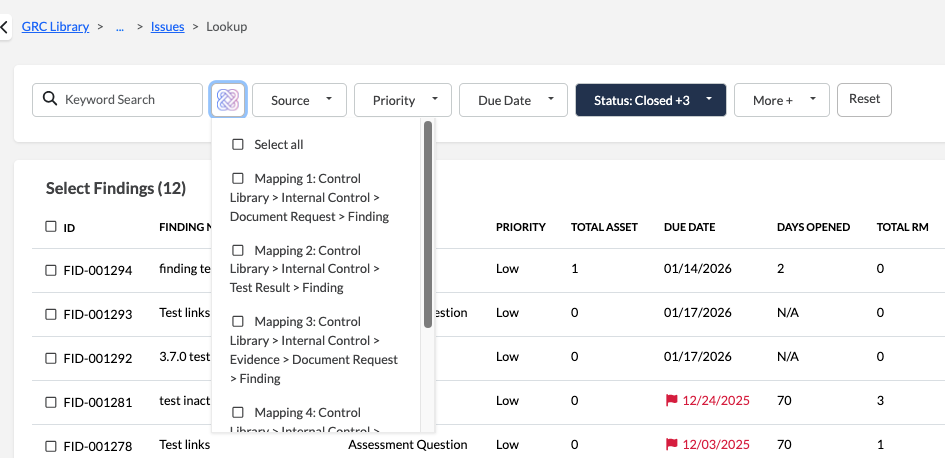
In the lookup window, locate the See Suggestions icon.

Select Mapping Rules: A dropdown will appear showing unique "Mapping Paths" (e.g., Mapping 1: Control Library > Internal Controls > Findings).
Filter Results: Choose one or multiple rules to narrow down the list. The system will display a record count for each rule.
Apply Links: Select the desired records from the filtered list and click Apply to create a direct link.
Note: Suggestions are only available for records that have already been saved and assigned an ID. They are not available on initial "Add New" pages.
3. Smart Mapping Rules
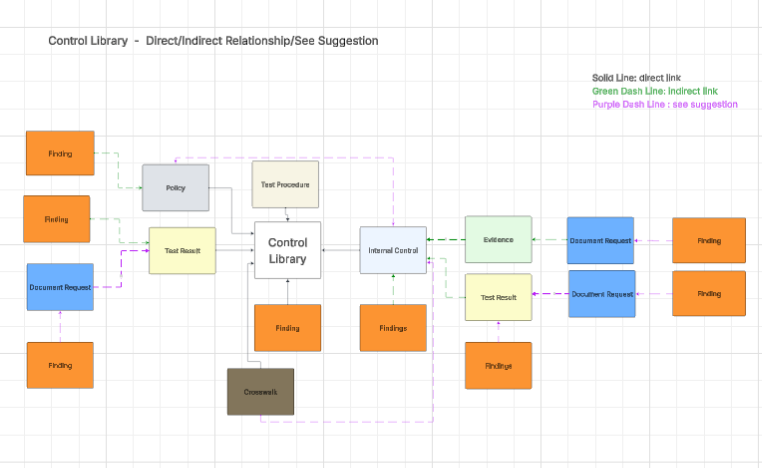
The system uses specific logic to suggest the most relevant records for each category:
| To Link... | The System Suggests Records Related Via: | |
| Policies | Direct Internal Control links (CTL > IC > Policy) | |
| Internal Controls | Crosswalks, direct Policy links (CTL > Policy >IC) | |
| Findings | Five distinct paths including Policies, Internal Controls, Document Requests, and Test Results. |
Was this article helpful?
That’s Great!
Thank you for your feedback
Sorry! We couldn't be helpful
Thank you for your feedback
Feedback sent
We appreciate your effort and will try to fix the article