1. Overview
The Attachment Preview feature provides a unified file viewing experience directly within the application. This enhancement allows users to view uploaded attachments—including documents, images, audio, and video—without needing to open external applications, download files to local machines, or open new browser tabs. This feature applies globally to all attachments across the system.
To optimize performance and loading speeds, the system will generate a limited preview consisting of the first 10 pages of any multi-page document. This feature applies globally to all attachments across the system.
2. How to Use the Preview Feature
Upload an Attachment: Upload your file to any attachment section within the system.
Wait for Processing: After uploading, you will see a spinning loading indicator next to the file. The preview button remains disabled while the backend prepares and converts the file for viewing.
Open Preview: Once processing is complete, a "Preview" or "View" icon will become available. Click this button to open the file.
View and Navigate: The file will open in a modal window directly over your current page. For large documents like PDFs, the system progressively loads pages on demand so you do not have to wait for the entire document to load.
Download or Close: From the preview modal, you have the option to download the original file to your device or simply close the window to immediately return to your previous work.

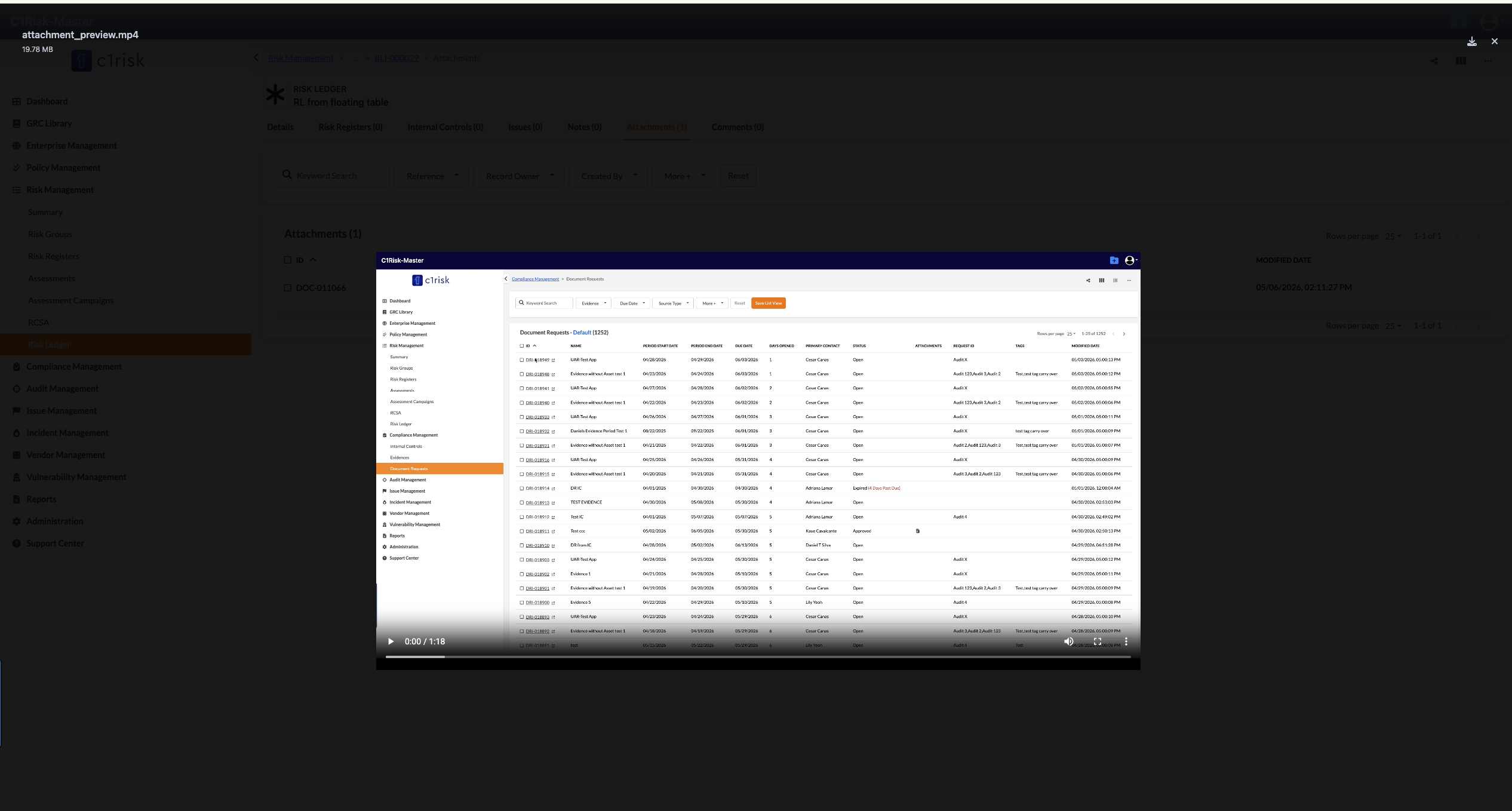
3. Supported File Types for Preview The viewer supports the most common file formats. Note: Formats marked with an asterisk (*) have limited preview support depending on your specific web browser.
Documents These files are either natively rendered or automatically converted for preview:
Text & Data: .txt, .csv, .json
Word Processing: .doc, .docx, .dot, .rtf, .sxw
Spreadsheets: .xls, .xlsx, .xlt, .sxc
Presentations: .ppt, .pptx, .pps, .ppsx, .pot, .ppa, .sxi
Portable Documents: .pdf
Images
.bmp, .gif, .jpe, .jpeg, .jpg, .jfif, .png
.jfif-tbnl*, .jif*, .pjpg*, .tif*, .tiff*
Audio
.mp3, .ogg, .wav
.m2a*, .m3a*, .mp2*, .mp2a*, .mpga*, .oga*, .spx*
Video
.mp4
.avi* (may have codec issues), .m1v*, .m2v*, .mov*, .mp4v*, .mpa*, .mpe*, .mpeg*, .mpg*, .mpg4*, .mpga*, .qt*
Unsupported File Types Please note that Archive files (e.g., .zip, .gz, .tgz) do not support previewing. Additionally, certain specific formats such as calendar files (.ics, .icalendar), email messages (.msg, .ost), Visio files (.vsd), and Flash files (.swf) cannot be converted or displayed in the preview modal.
Was this article helpful?
That’s Great!
Thank you for your feedback
Sorry! We couldn't be helpful
Thank you for your feedback
Feedback sent
We appreciate your effort and will try to fix the article