1. Overview
The Risk Control Self-Assessment (RCSA) module is a comprehensive point-in-time risk evaluation tool for selected assets. It operates using a parent-child relationship: the RCSA acts as the parent container that aggregates multiple individual Risk Ledgers (child records). Each Risk Ledger documents an individual risk, its impact, likelihood, control effectiveness, and treatment strategy
2. RCSA (Risk Control Self-Assessment) Module
The RCSA module acts as a parent container designed to facilitate point-in-time risk evaluations for specific assets, vendors, or engagements.
Key Capabilities
Aggregation: RCSA aggregates risk scores from all associated Risk Ledgers to provide an overview of your organization's risk exposure.
Approval Workflows: You can initiate a formal approval process for your RCSA records. Once submitted for approval, records become locked to prevent unauthorized changes.
Reporting: RCSA records can be exported to Excel or PDF for distribution to auditors and stakeholders.
Managing RCSA Records
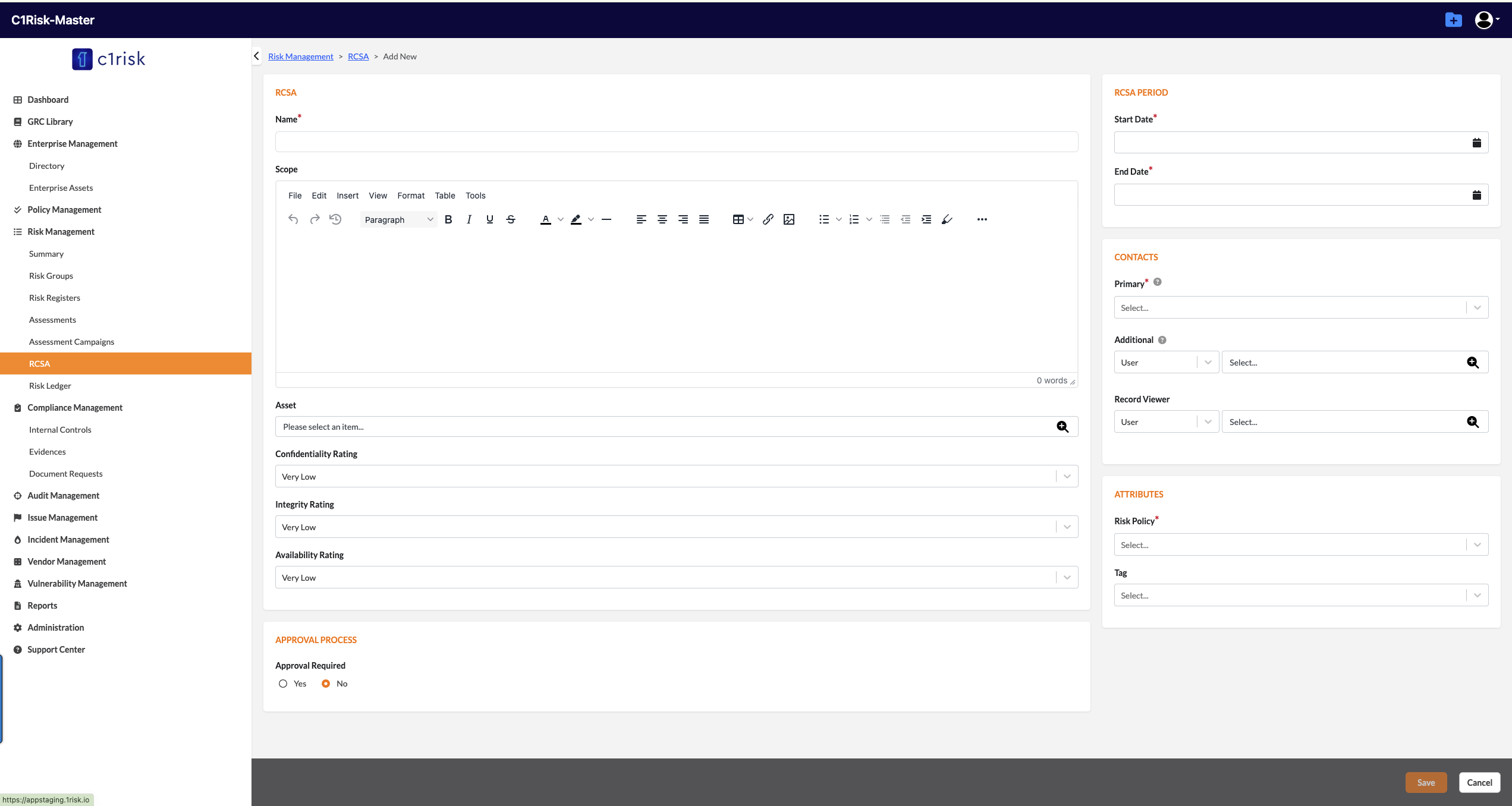
Creation: When creating an RCSA, you may select one or multiple assets from Enterprise Assets, Vendors, or Engagements.
Scores: The system aggregates scores using Max, Average, and Sum metrics for both Inherent and Residual risks.
Statuses: RCSA supports various statuses, including Open, Submitted for Approval, Approved, and Archived. Note when an RCSA is approved or archived, it will lock the record and its related Risk Ledger records.
3. Risk Ledger Module
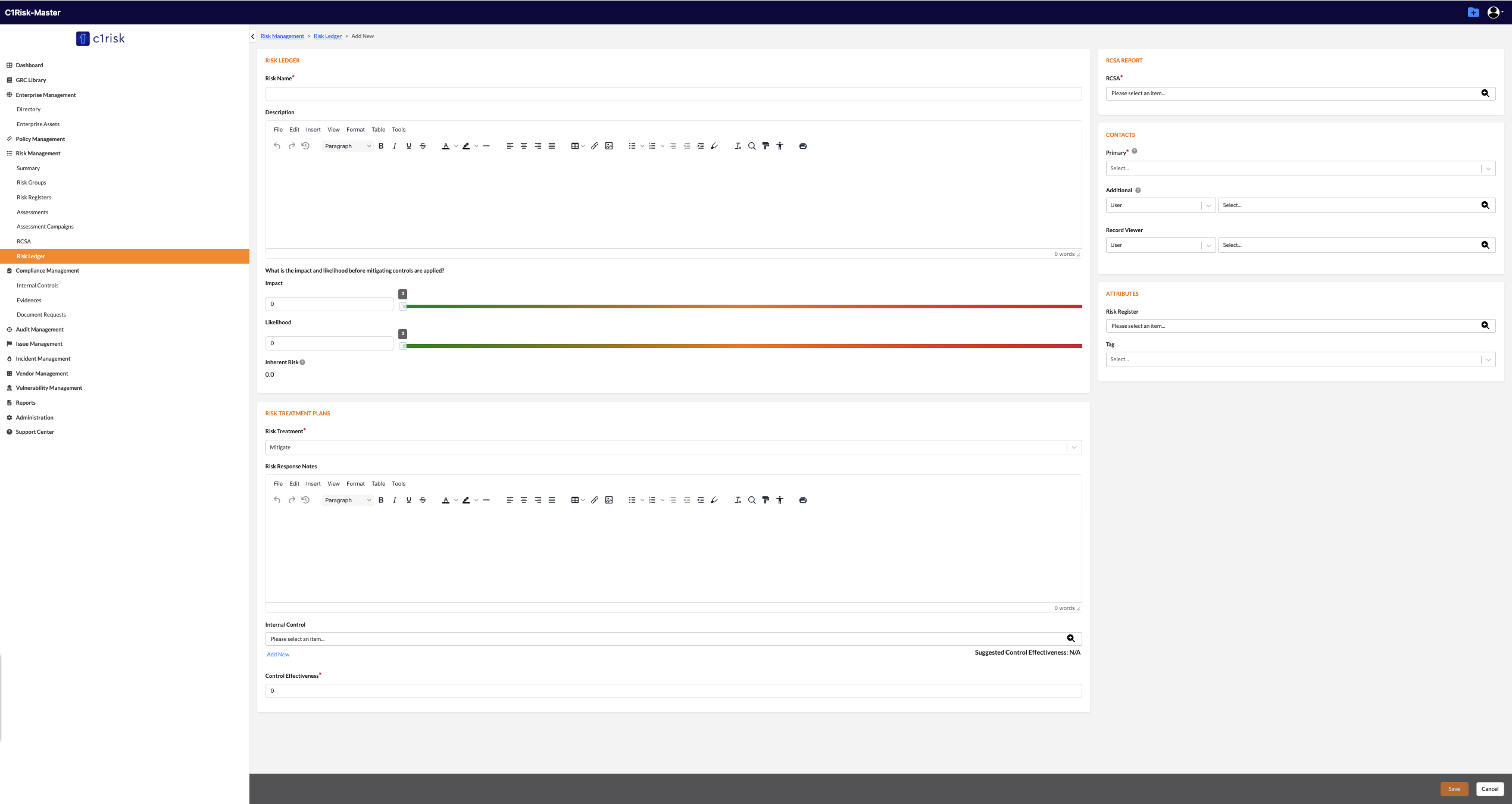
The Risk Ledger module is a comprehensive tool functioning as the child component of the RCSA system. Risk Ledgers detail the specific risks associated with the RCSA. You can add a new Risk Ledger from the Risk Ledger subtab within an RCSA, directly from the RCSA detail page, or by navigating to the Risk Ledger entity and associating it with an active RCSA.
Note: You can only add new Risk Ledgers if the RCSA status is "Open" or "Re-Open." If the RCSA is locked (Submitted for Approval or Approved or Archived), you cannot add new/Edit ledgers
Risk Ledger Formulas:
Inherent Risk Score (%) = (Inherent Impact × Inherent Likelihood) / 100.
Residual Risk Score (%) depends on the treatment:
Mitigation: Inherent Risk % × (100 - Control Effectiveness %).
Accept / Transfer / Avoid: Inherent Risk % × (100 - Risk Reduction %).
RCSA Aggregation:
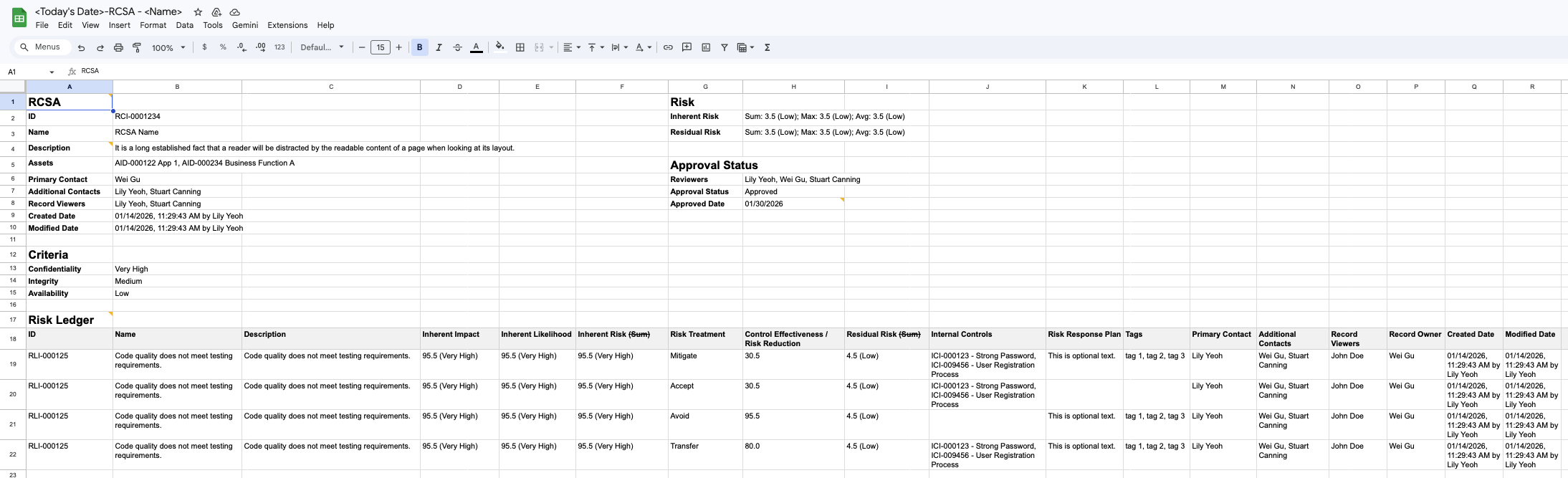
As you add or update Risk Ledgers, the parent RCSA automatically aggregates and updates the overall risk profile. The RCSA displays the Maximum, Minimum, Average, and Sum for both Inherent and Residual Risk Scores across all associated Risk Ledgers. Additionally, unique Internal Controls and Issues from all ledgers will roll up and display on the RCSA subtabs
4. Approvals and Reporting
Approval Workflow: Once the risk evaluation is complete, submit the RCSA for approval. Upon submission, the RCSA and its Risk Ledgers are locked from further additions. If an approval is rejected or reopened, the record will unlock for modifications.
Exporting Reports: You can export the final RCSA—along with aggregated scores and associated ledgers—to an Excel report directly from the RCSA Action Menu
Was this article helpful?
That’s Great!
Thank you for your feedback
Sorry! We couldn't be helpful
Thank you for your feedback
Feedback sent
We appreciate your effort and will try to fix the article