1. Overview
A Scoping component is available in the Obligation section of C1Risk. This feature enables compliance and GRC teams to categorize, track, and manage the scope status of individual obligations.
- Optional Usage: Scoping is completely optional—organizations can choose whether or not to apply scoping statuses to their obligations.
- Default Status: All obligations initially default to a scope status of NA.
2. How to Set or Edit Obligation Scope
To configure the scope status for an obligation:
- Locate the Record: Navigate to the target obligation within the Obligation section.
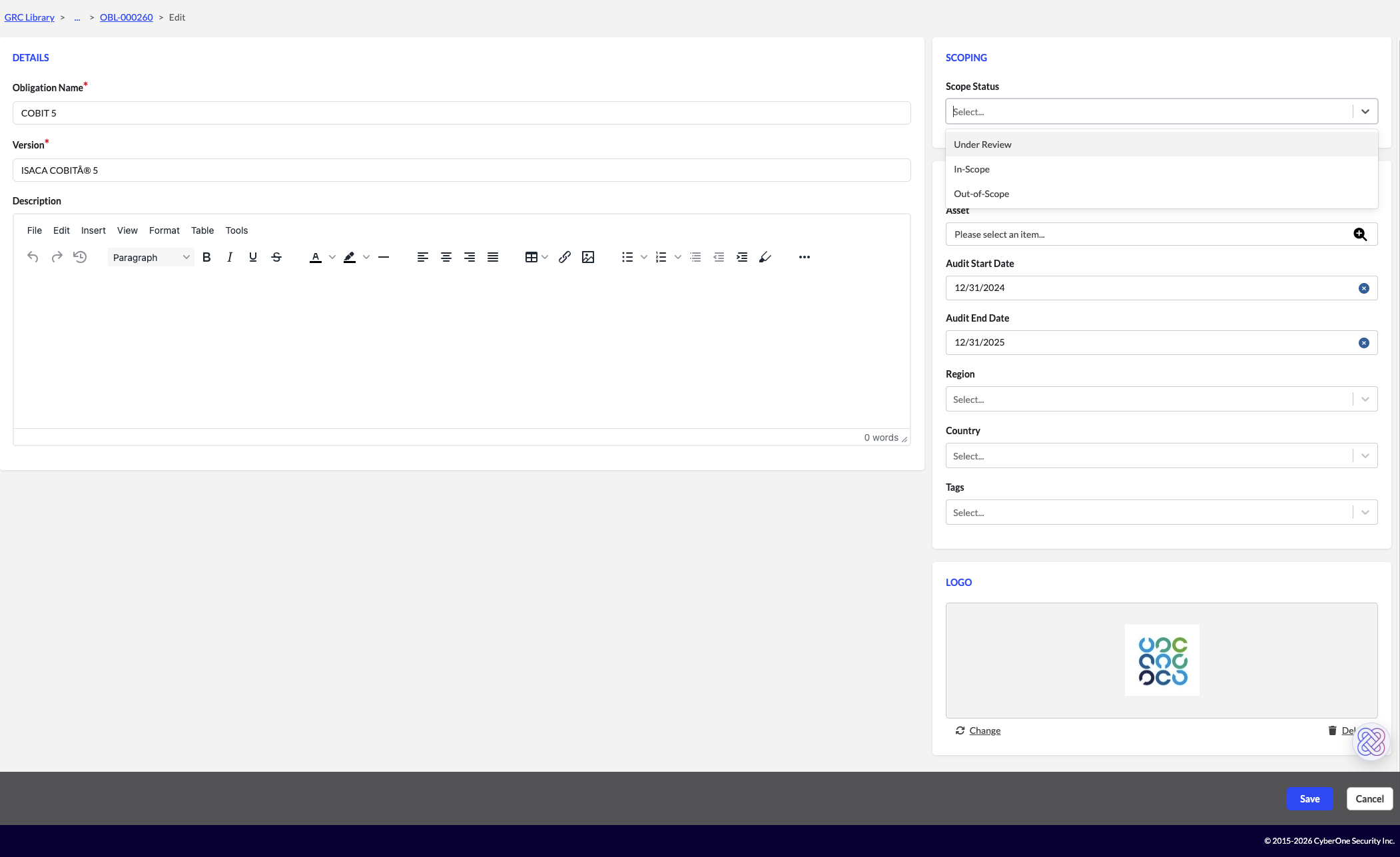
- Click Edit: Select Edit to modify the obligation details.
- Choose Scope Status: Select one of the following scope statuses:
- Under Review: Designate that the obligation is currently being evaluated.
- In Scope: Select In Scope and enter the specific date when the obligation officially becomes active/in scope.
- Out of Scope: Select Out of Scope and enter the specific date when the obligation is designated as out of scope.
- Save: Save your updates to record the scoping decision.
3. Visual Display & Visibility
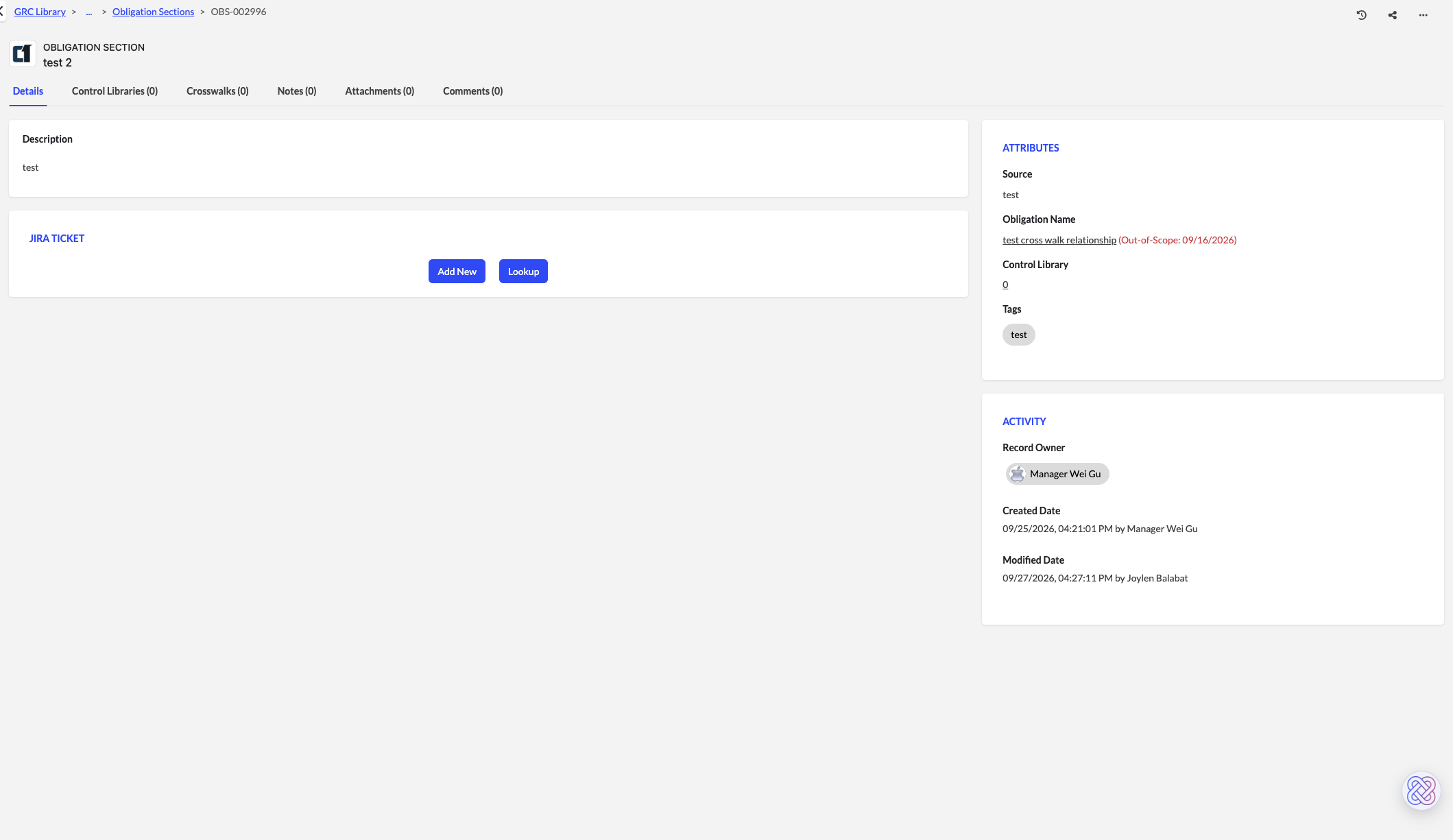
Once updated, the scoping information is displayed in the platform:
- Control Library Visibility: The status displays directly in the Obligation section of the Control Library, showing whether the obligation is Under Review, In Scope, or Out of Scope.
Was this article helpful?
That’s Great!
Thank you for your feedback
Sorry! We couldn't be helpful
Thank you for your feedback
Feedback sent
We appreciate your effort and will try to fix the article