C1Risk Version 3.11.0 introduces powerful new tracking and automation frameworks designed to scale your enterprise resiliency and accountability workflows. This release delivers the initial foundation of our Business Continuity Management (BCM) suite, introducing fully customizable Business Impact Analysis (BIA) modeling, dynamic BCM Plan alignment, and dependency risk mapping.
Additionally, we have launched a highly performant Record History Log framework across the Compliance Module and Issue Management to provide transparent, multi-field, and role-based audit logs without compromising portal page response speeds.
1. Business Continuity Management (BCM) Module
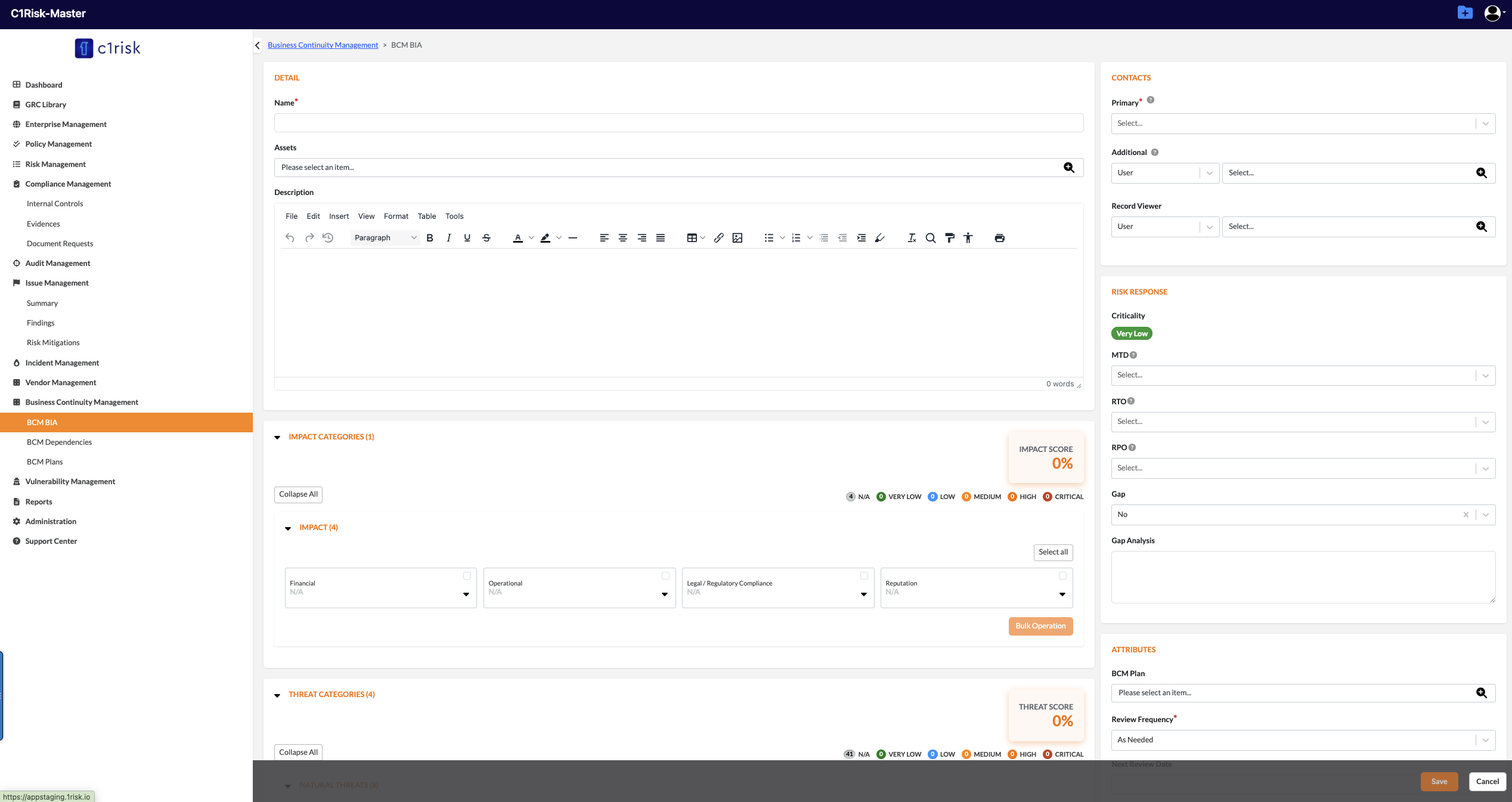
We are introducing substantial updates to lay the groundwork for our comprehensive Business Continuity Management (BCM) suite, which focuses on Business Impact Analysis (BIA), BCM Plans, and Dependencies.
BIA and BCM Plan Linking: Users can now seamlessly view, link, and create new BCM plans directly from the BIA interface, boosting workflow efficiency.
Custom Field Configurations: Enhanced BIA tracking with native support for crucial continuity attributes, including Criticality, Maximum Tolerable Downtime (MTD), Recovery Time Objective (RTO), and Recovery Point Objective (RPO).
Administrative BIA Templates: Administrators can now customize, activate, or deactivate default sections and unique categories across both Impact and Threat matrices globally.
Granular Bulk Operations: Upgraded capability to perform bulk updates within specific localized sub-sections or categories rather than altering entire entities blindly.
User Manual: https://c1risk.freshdesk.com/support/solutions/articles/73000671492-business-continuity-management-user-guide
2. Comprehensive Record History Log
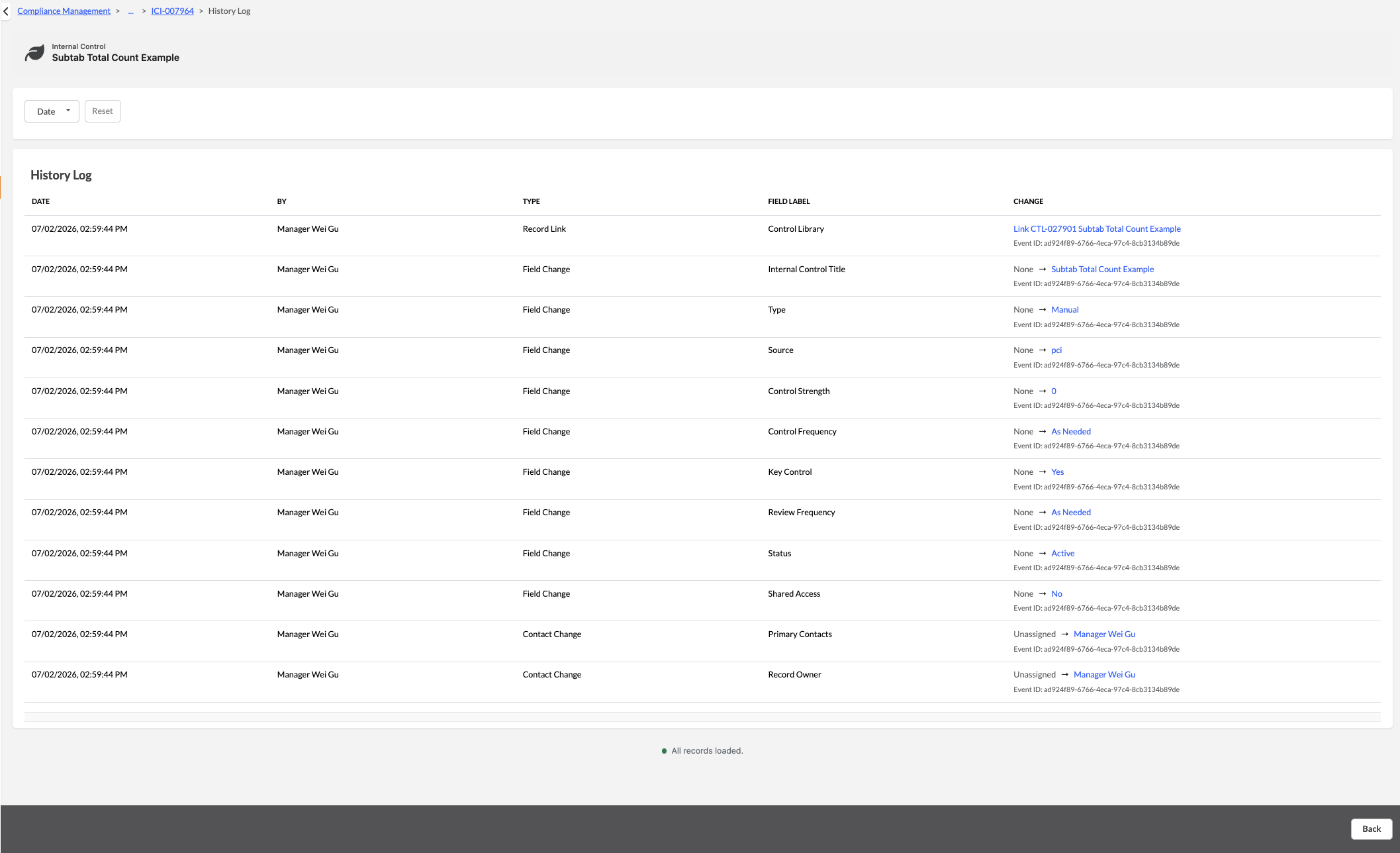
To enhance transparency and support regulatory compliance, we have introduced a robust, performant Record History Log framework across both the Policy Management, Compliance Module and Issue Management.
Dedicated History Tracking: A standard History icon has been integrated into record detail views for Internal Controls, Evidence, Document Requests, Document Responses, Findings, and Risk Mitigations.
Change Scoping: The audit log accurately records chronological data modifications (text, dropdowns, booleans), contact/role updates, and direct record-linking or unlinking activities with full "Before" and "After" value mapping.
Account-Level Control: Super Admins can explicitly enable or disable the history log feature at the account level. Disabling the feature automatically restricts access and hides the tab from standard users.
Performance Optimization (Lazy Loading): History logs are fetched dynamically only when a user intentionally activates the tab, keeping initial page load speeds fast and responsive.
User Manual: https://c1risk.freshdesk.com/support/solutions/articles/73000671493-record-history-log-user-guide
Was this article helpful?
That’s Great!
Thank you for your feedback
Sorry! We couldn't be helpful
Thank you for your feedback
Feedback sent
We appreciate your effort and will try to fix the article